Carbon Data Capture for ESG Reporting

Standardized Data Capture for ESG Reporting
Expensya now offers standardized data collection to help organizations report on carbon emissions (Scope 3) directly from expense submissions. This feature is designed to support ESG regulatory requirements by automatically capturing key data in transport and fuel expenses. Activation is quick and requires no manual field setup. Admins can enable data collection from the Admin Menu under the Settings section.
Who is impacted?
- Employees: Must enter additional data when submitting Transport (flight, train or taxi) or Fuel expenses.
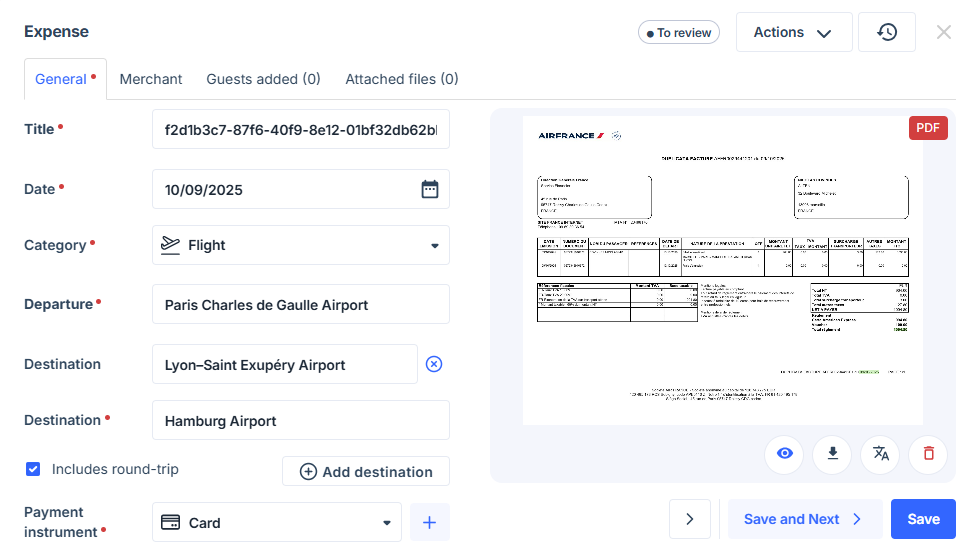
- Transportation: Enter Departure and Destination (manually), indicate multiple destinations or round-trip if applicable.
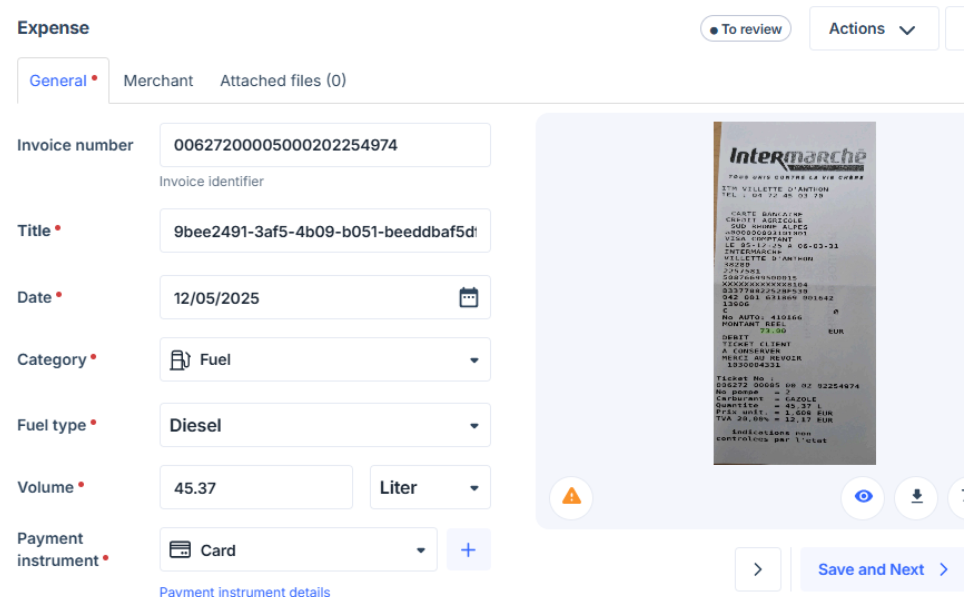
- Fuel: Enter Fuel Type, Volume, and Unit (units auto-adjust based on fuel type).
- Transportation: Enter Departure and Destination (manually), indicate multiple destinations or round-trip if applicable.
- Managers: Review expenses with mandatory carbon fields.
- Administrators: Can activate or deactivate carbon data capture and configure custom categories.
- Accountants: Access carbon data in exports for reporting.
How to use Carbon Data Capture for ESG Reporting?
To enable and submit carbon data with expenses, follow these steps:
For Administrators:
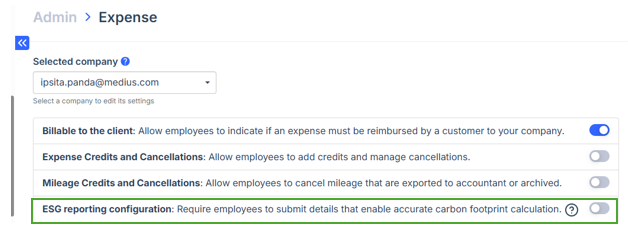
- Go to Settings > Expense Settings > ESG Reporting Configuration.
- Enable the Carbon Tracking toggle.
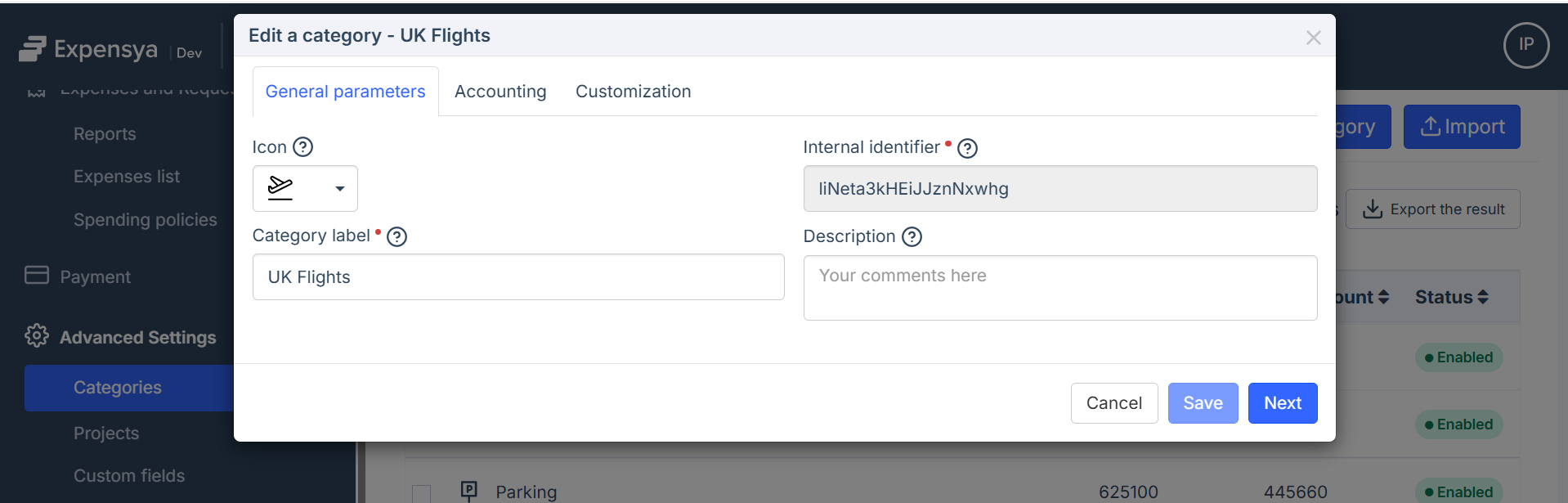
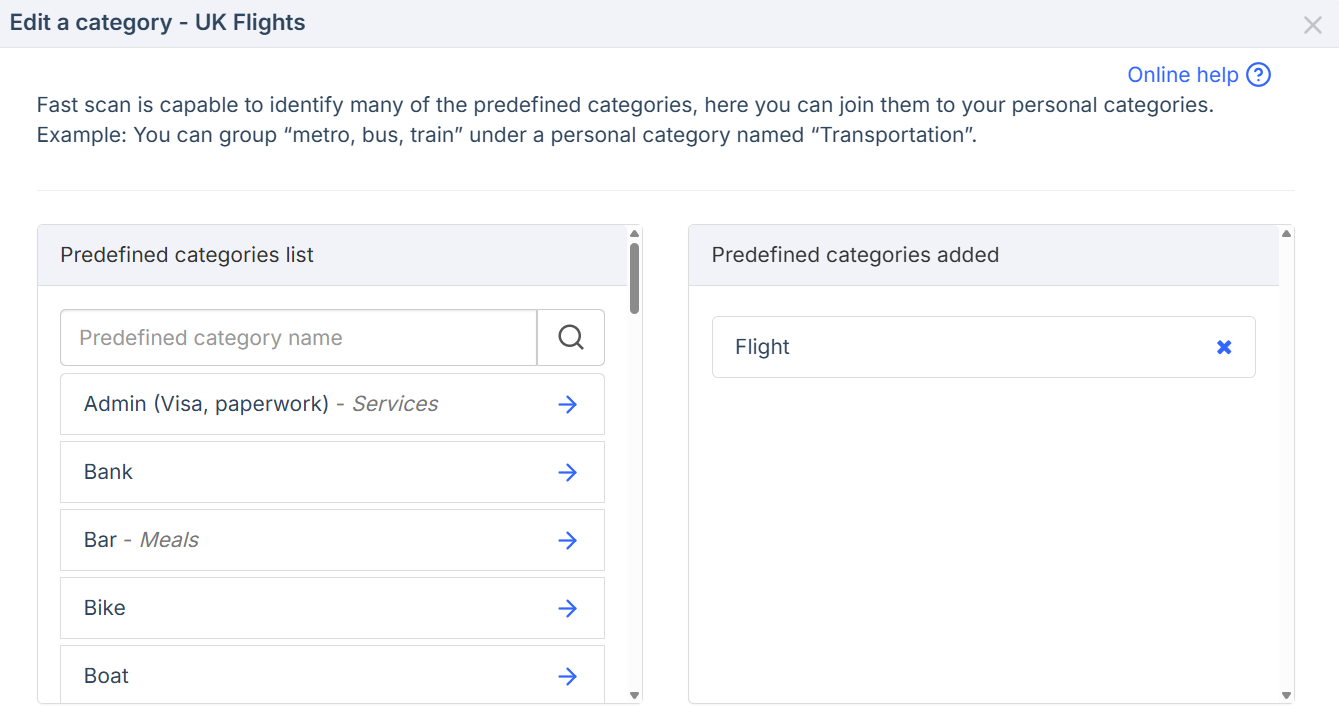
- If using custom categories, ensure they are configured with the appropriate Transport or Fuel predefined categories as described below.
FAQ
- Does this affect old/existing expense data?
- No, only new expenses submitted after activation require carbon fields.
- Can the approver or the accountant/admin edit carbon data after submitting an expense?
- As an employee, you edit carbon fields before submitting your expense. After submission, editing depends on your company’s approval workflow.
- Why can’t I see carbon fields in my expenses?
- The feature must be enabled by your company’s admin in Settings.
- Is carbon data collection automatic?
- Some fields (e.g., unit for fuel) are auto-adjusted, but most entry is manual until future API integration.
- Can I attach receipts to expenses with carbon data fields?
- Yes, receipt attachment is available as usual.
- What if the carbon calculation or data entry looks incorrect?
- Validation prevents most errors, but contact your admin if further issues arise.
If you need assistance, please contact your company administrator or our support team.
