How to know if an expense falls under the French e-invoicing scope

Since the French e-invoicing reform, certain professional purchases must be documented with an e-invoice instead of a paper or PDF receipt. Medius Expense automatically detects when an expense is likely to fall under this obligation and will prompt you accordingly.
Understanding which expenses are in scope helps you request the right document from the merchant at the time of purchase — and avoid delays if a reimbursement is needed.
E-invoice vs. classic receipt
Classic receipt / PDF invoice | E-invoice | |
Format | Paper or PDF | Structured digital file (UBL, CII, Factur-X) |
Transmission | Handed over or emailed manually | Routed automatically between accredited platforms (PA), via the PPF directory |
Legal validity | Accepted for out-of-scope e-invoicing expenses | Required for in-scope B2B transactions in France |
In Medius Expense | Attached manually by the employee or received by email | Received automatically and linked to the expense |
Which expenses are in scope?
The e-invoicing obligation applies to B2B transactions — purchases made between two VAT-registered businesses in France. The DGFIP (Direction Générale des Finances Publiques) has defined the in-scope use cases that could impact the buyer side in the expense management scope.
In scope — an e-invoice is expected:
- Use case 05: Expense paid by the employee, with an invoice issued to the company.
- Use case 07: Expense paid with a lodged card / company funded card.
- Use case 27: Restaurant expense with a pre-tax amount ≥ €150, with the invoice issued to the company.
- Use case 28: Toll expenses — subscription to the company name.
Out of scope — a classic receipt is sufficient:
- Use case 06: Expense paid by the employee, with an invoice issued to the employee.
- Use case 27: Restaurant expense with a pre-tax amount < €150.
- Use case 27: Restaurant expense with a pre-tax amount ≥ €150, with the invoice issued to the employee.
- Use case 28: Toll expense receipts issued to the employee.
- Transactions with foreign merchants.
How Medius Expense detects in-scope expenses
If an employee creates an expense that is in scope of e-invoicing — manually, by fast scanning the paper receipt, or when a bank transaction automatically creates an expense — Medius Expense analyses expense data to determine whether an e-invoice is expected. Detection is based on signals such as merchant size, expense category, and pre-tax amount.
When an expense is identified as potentially in scope, Medius Expense will:
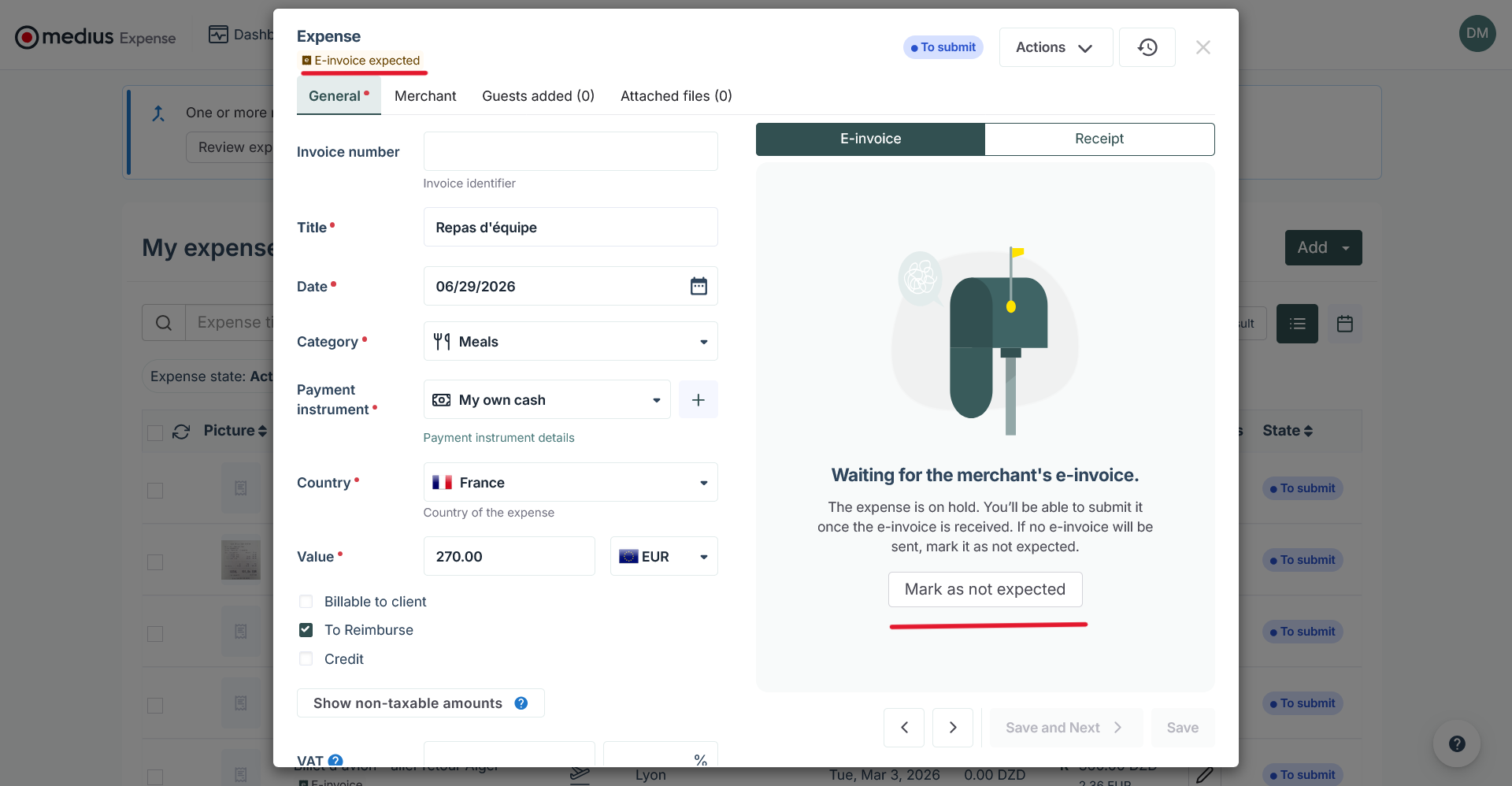
- Tag the expense to indicate that an e-invoice is expected.
- Wait for the e-invoice to be received, matched, and merged with the expense.
- Block submission of the expense until the e-invoice is received or an exception is granted.
What happens if my expense is blocked?
If your expense is flagged as requiring an e-invoice and none has been received yet, you will not be able to submit it as part of an expense report.
What to do:
- Check that you provided your routing IDs to the merchant at the time of purchase.
- Allow some time for the e-invoice to be transmitted and processed — this can take a few hours or several days.
- If the e-invoice still does not arrive, contact your administrator or accountant — the e-invoice may have been received at company level but could not be matched due to a missing employee ID.
How to override blocking the expense from submission
In some cases, an expense may be incorrectly flagged as requiring an e-invoice — for example, if you did not request one from the merchant.
If you believe your expense should not require an e-invoice:
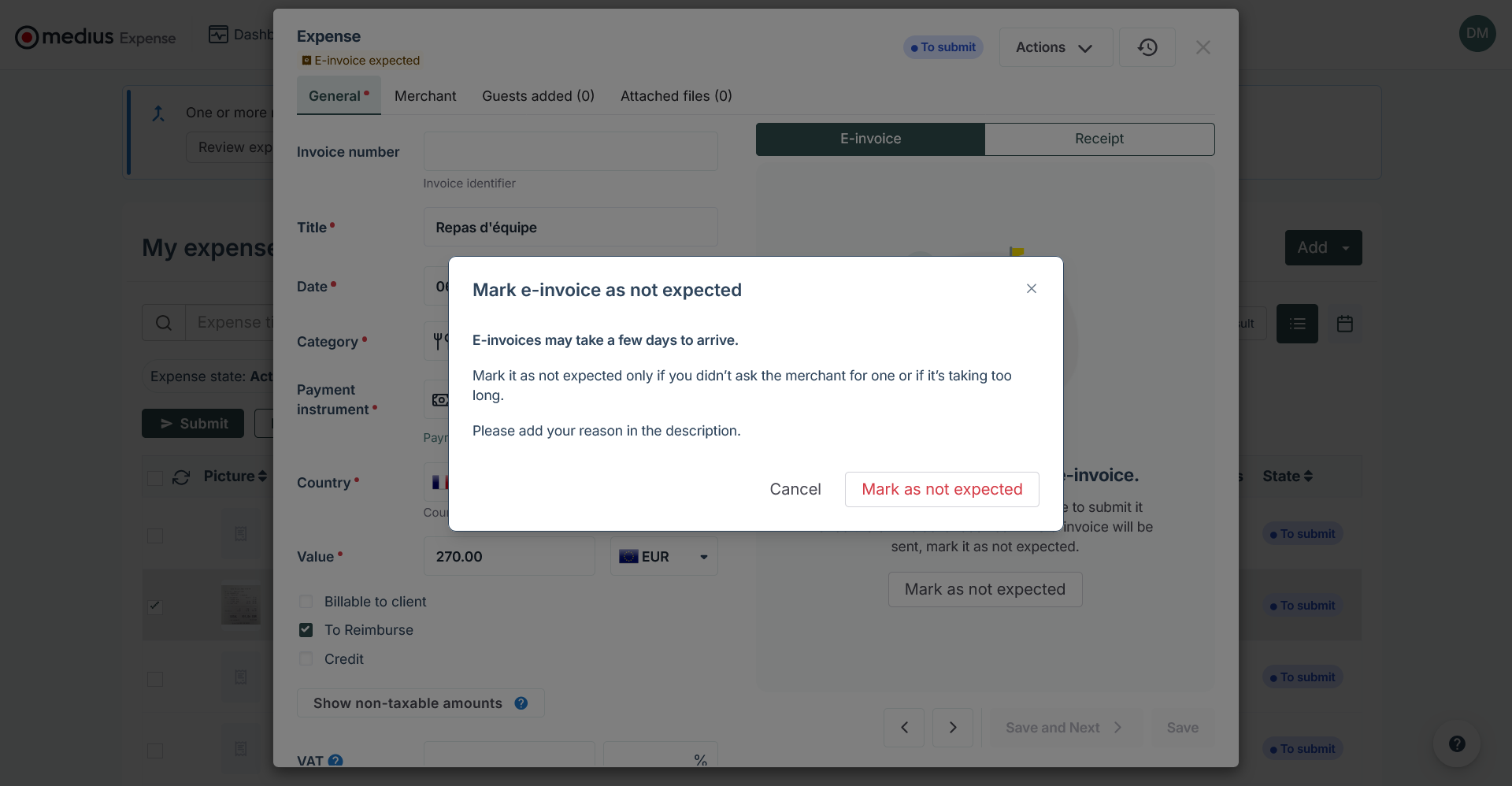
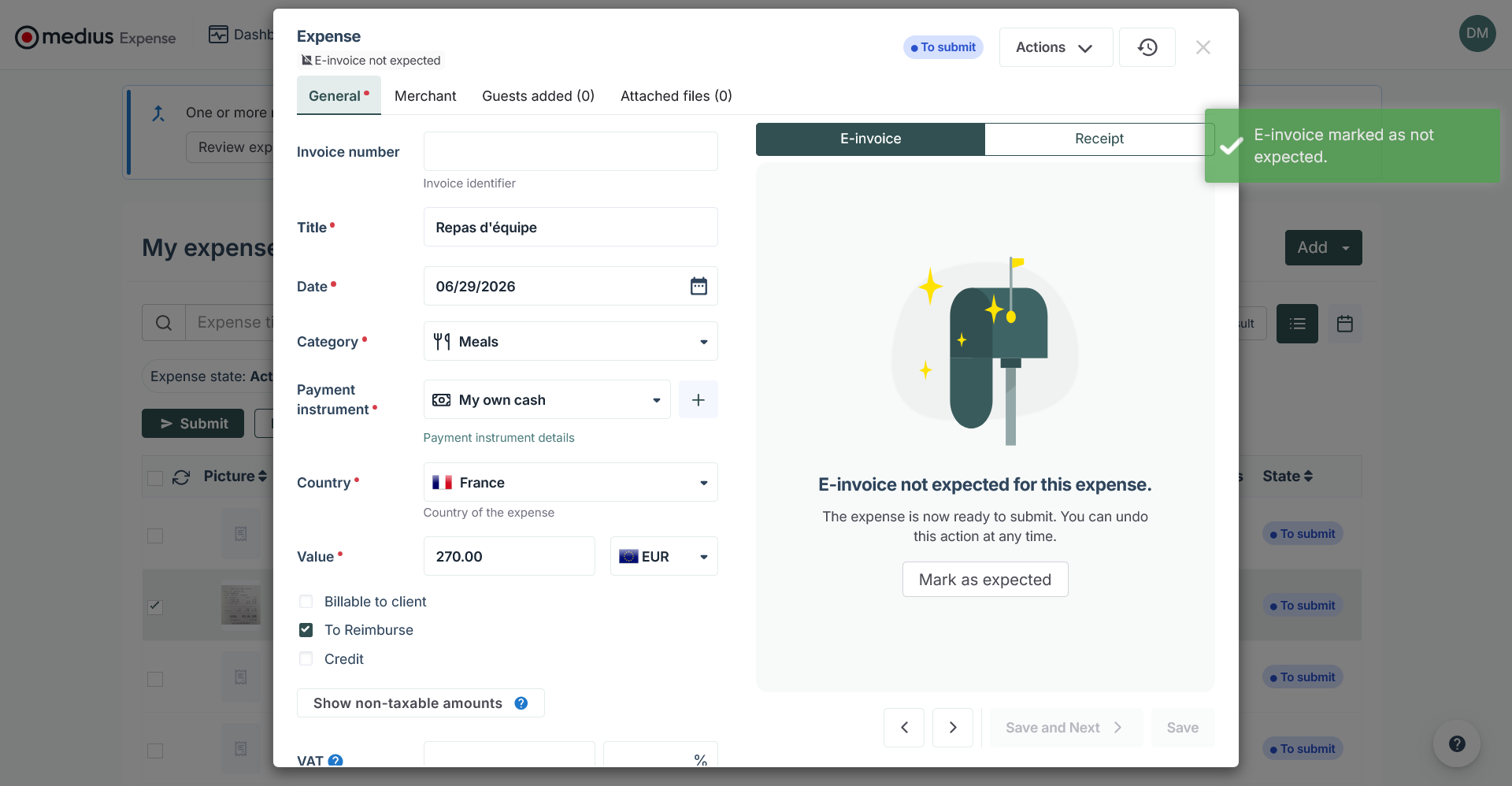
- Mark it as "E-invoice not expected" to unblock submission.
- Enter a justification in the description field — this becomes mandatory.