Request an e-invoice from a merchant — France

When making a professional purchase, you'll need to ask the merchant to issue an e-invoice instead of a paper or PDF receipt. To ensure the e-invoice reaches your Medius Expense account correctly, you must provide the merchant with your company's e-invoicing routing IDs at the time of purchase.
When to request an e-invoice
You can request an e-invoice for both in-store and online professional purchases.
In-store purchases:
- Ask the merchant to issue an e-invoice before or at the point of payment.
- Make sure the merchant enters your e-invoicing routing IDs in their system before leaving the store.
Online purchases:
- During checkout, look for billing or invoicing detail fields and enter your e-invoicing routing IDs there.
Information to share with the merchant
To request an e-invoice, provide the merchant with the following information:
What to provide | Why it's needed | E-invoice field | Field code |
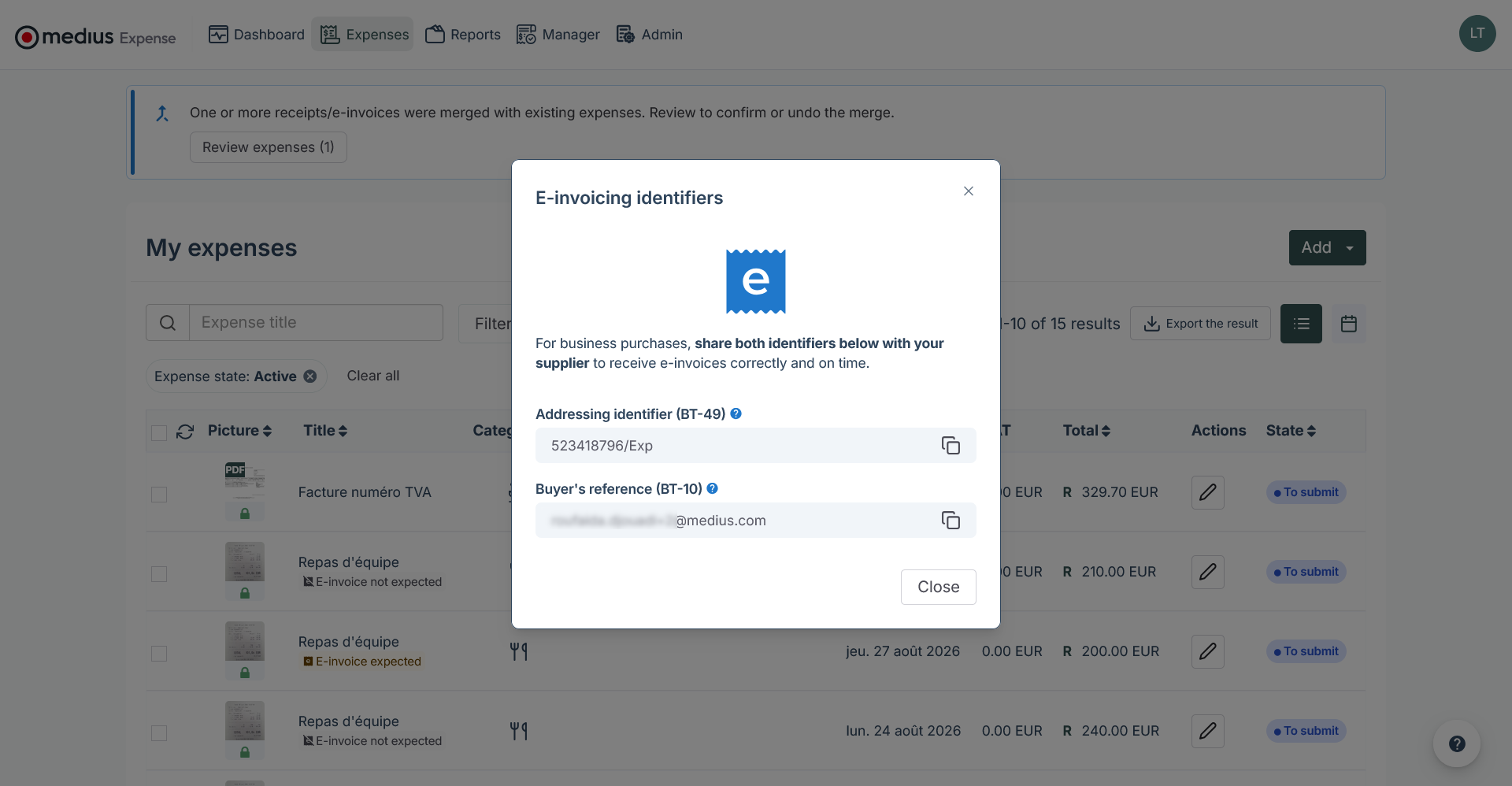
Company e-invoicing address | Identifies your company in the PPF directory and routes the e-invoice to the correct Medius Expense account. Format: SIREN/suffix — for example: 123456789/EXP | Addressing identifier | BT-49 |
Professional email address (the one you use to sign in to your account) | Once the e-invoice is received, Medius Expense uses this address to identify which employee account the e-invoice should be routed to. | Buyer's reference | BT-10 |
Where to find your e-invoicing routing IDs in Medius Expense
Web:
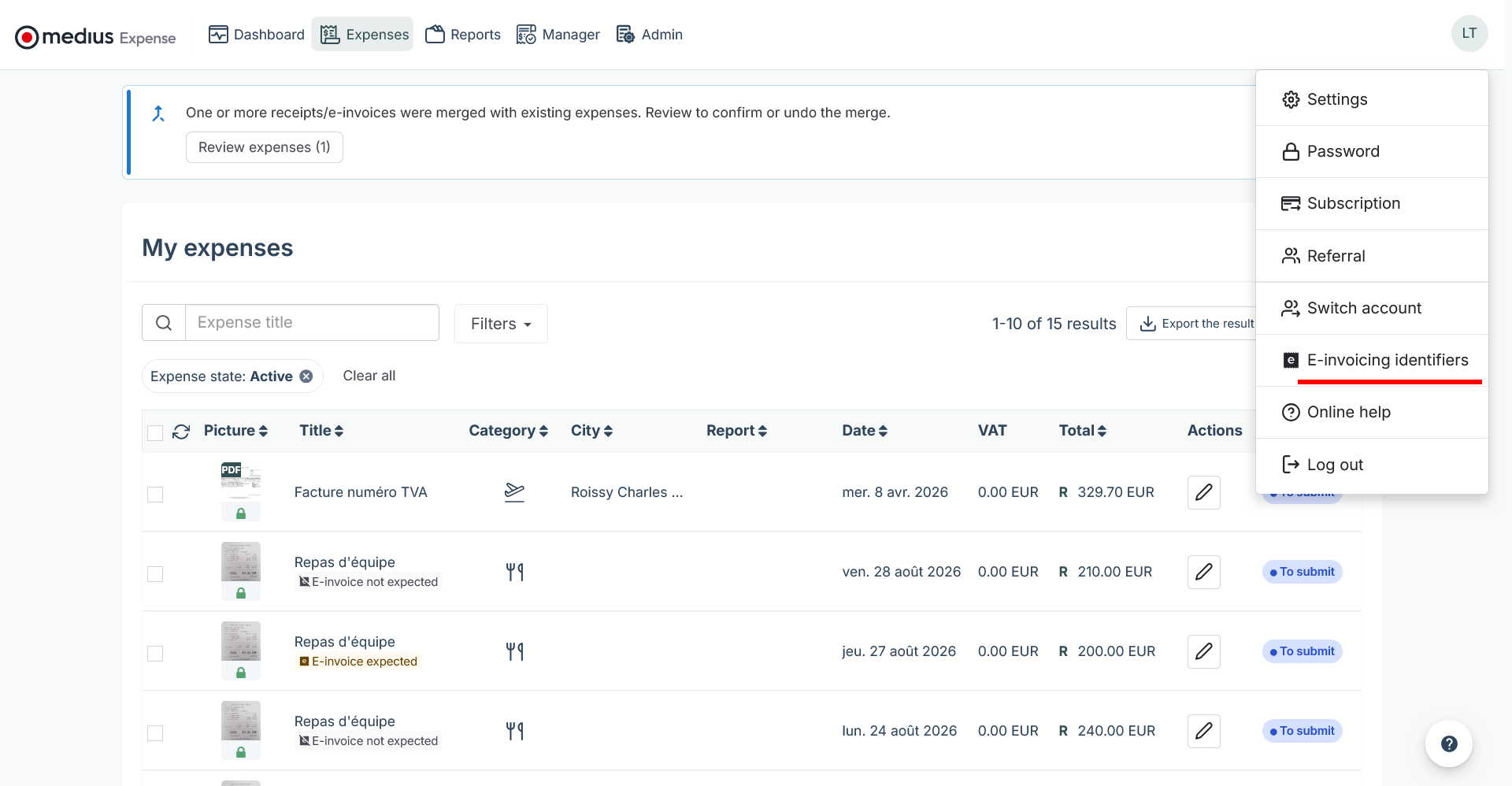
- Click on your profile picture (top-right corner).
- Select E-invoicing routing IDs from the menu.
A pop-up displays your two routing IDs — copy each one as needed.
Mobile:
- Open the Expenses or Reports screen.
- Tap the dedicated e-invoicing icon (displayed in the screen header).
A panel slides up showing your two routing IDs — tap to copy.
What happens next?
Once the merchant submits the e-invoice with your routing IDs, Medius Expense receives it automatically and either creates a new expense on your behalf or reconciles it with an existing one if a match is found.
